< Previous | Contents | Next >
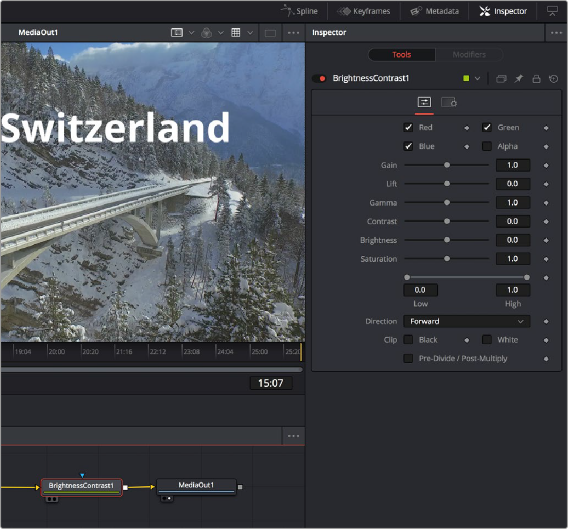
While the creation and connection of nodes in the Node Editor determines the tools and order of operations that make up a composition, the Inspector is where you adjust the various parameters inside each node to do what needs to be done.

Inspector displays the Brightness Contrast controls
This chapter covers methods for opening node parameters in the Inspector to edit them in different ways according to the type of available controls.
— Click the Inspector button on the UI toolbar.
The Tools and Modifiers Panels
The Inspector is divided into two overall panels.
— The Tools panel is where the parameters of selected nodes appear so you can edit them.