< Previous | Contents | Next >
The Gallery has Memories, stills saved in albums and your PowerGrades
LUT Browser
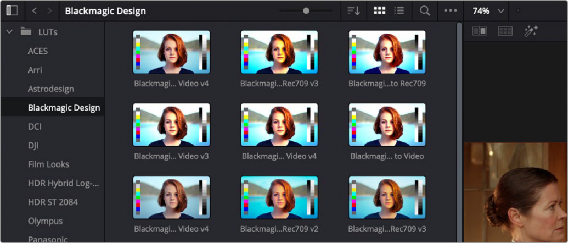
The LUT Browser provides a centralized area for browsing and previewing all of the LUTs installed on your workstation. All LUTs appear in the sidebar, by category.
The LUT Browser

By default, all LUTs appear with a test thumbnail that give a preview of that LUT’s effect, but you can also get a live preview of how the current clip looks with that LUT by hover scrubbing with the pointer over a particular LUT’s thumbnail (this is described in more detail below).
— Click the LUT Browser button in the UI Toolbar at the top of the Color page.
— To see the LUTs in any category: Click on a LUT category to select it in the sidebar, and its LUTs will appear in the browser area.
— To make a LUT a favorite: Hover the mouse over a LUT and click the star badge that appears at the upper right-hand corner, or right-click any LUT and choose Add to Favorites. That LUT will then appear when you select the Favorites category.